fbpx

Timeline View for Planning and
Feature Tracking

A Gantt-style execution view that shows every feature, story, dependency, and
milestone across your PI iterations — live from Jira or Azure DevOps.

Start Planning Smarter with Kendis button arrow icon
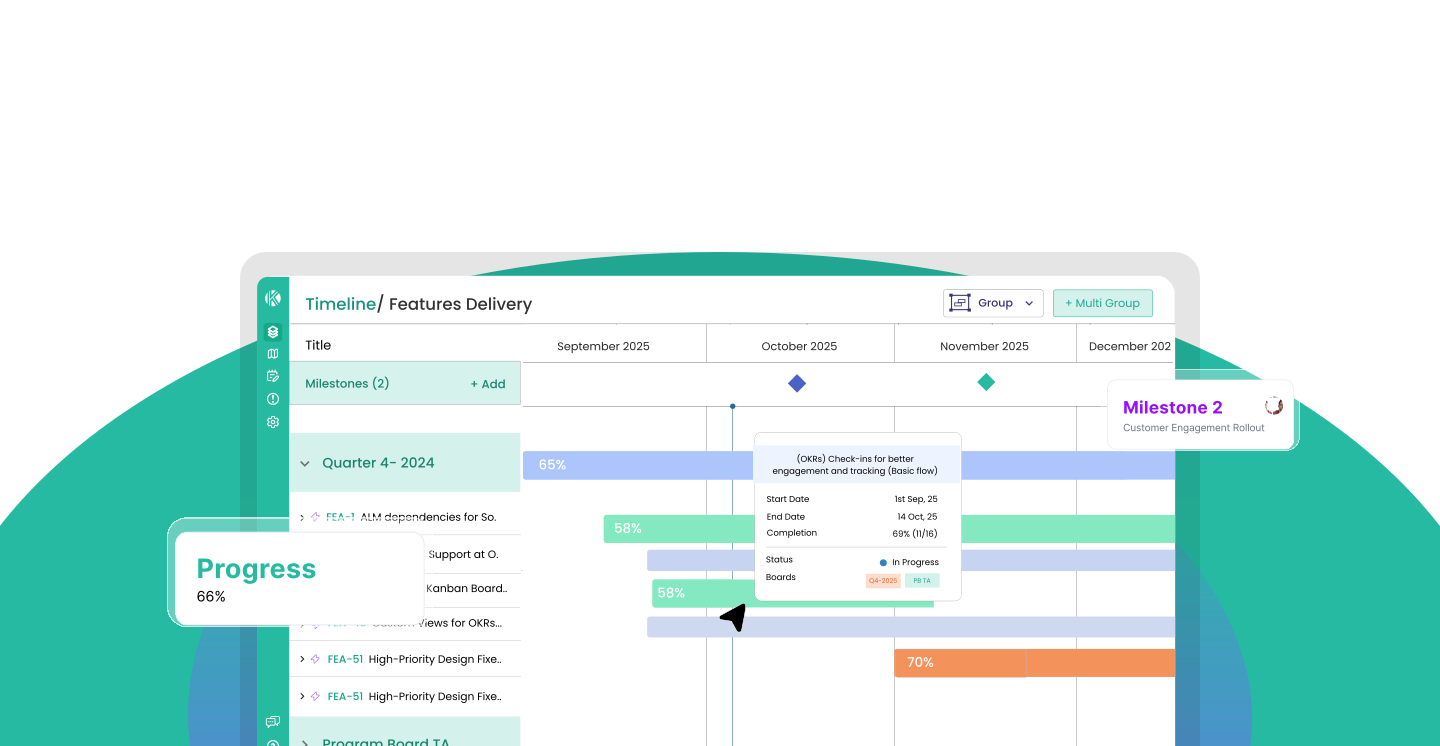
Kendis Timeline View showing features, stories, dependencies, and milestones across a PI

One View of Everything Across the PI

Visualize all features and stories across the current Program Increment. Progress rolls up automatically
from story status — no manual updates needed.

Feature and Story Progress Tracking

Each feature bar spans the duration calculated from the earliest start and latest end dates of its linked stories. Progress rolls up automatically — switchable between story count completion and story point estimate
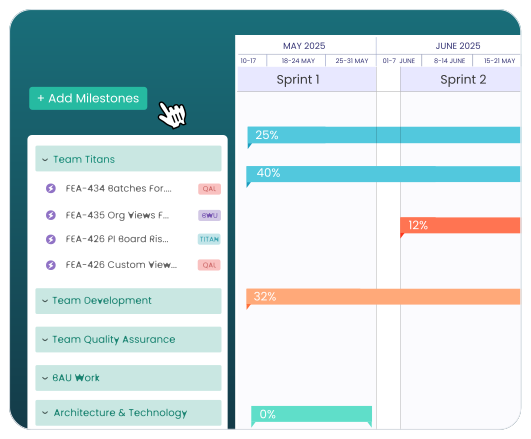
Feature and story progress on the timeline

Dependency Visualization on the Timeline

Visualize dependencies as connecting lines between predecessor and successor items — at both feature and story level. Filter the view to exactly what needs attention: open or resolved, cross-team or same-team, aligned, overdue, or reverse dependencies.
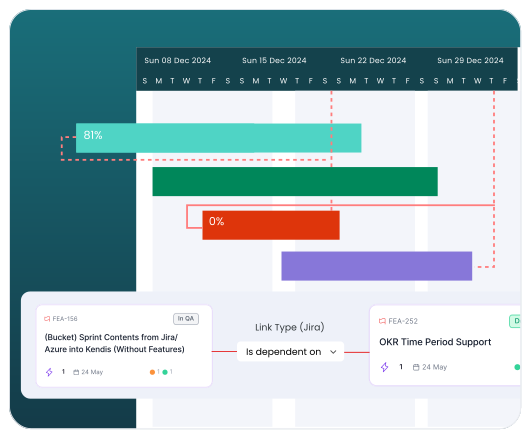
Dependency visualization on the timeline

View & Group Objectives on Timeline

Visualize dependencies as connecting lines between predecessor and successor items — at both feature and story level. Filter the view to exactly what needs attention: open or resolved, cross-team or same-team, aligned, overdue, or reverse dependencies.
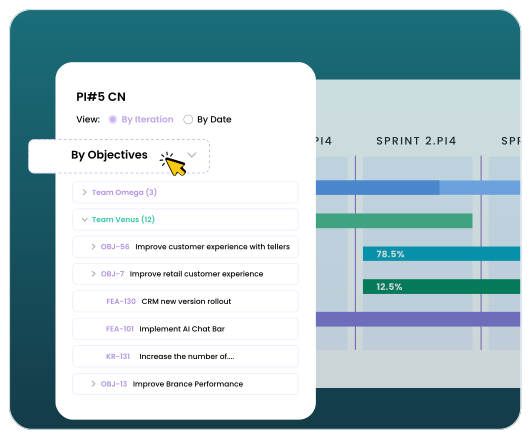
View and group objectives on the timeline

Flexible Grouping, Sorting, and Filtering

Visualize dependencies as connecting lines between predecessor and successor items — at both feature and story level. Filter the view to exactly what needs attention: open or resolved, cross-team or same-team, aligned, overdue, or reverse dependencies.
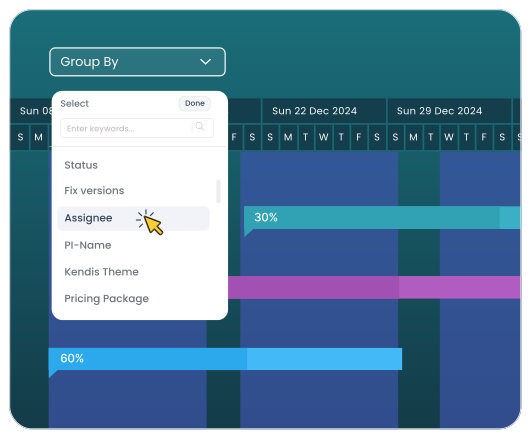
Flexible grouping on the timeline

Real-Time Sync with Jira and Azure DevOps

Kendis Org Views integrates natively with the tools your teams already use with a powerful
bi-directional sync

Jira Cloud Jira Cloud integration icon

Jira Data Centre Jira Data Center integration icon

Azure DevOps Azure DevOps integration icon

Microsoft TFS Microsoft TFS integration icon

View all Integrations button arrow icon

Frequently Asked Questions

What is the Kendis Collab Board?
A Collection is how Kendis models an organizational unit — an ART, a Solution Train, a department, or any grouping of teams delivering value. Each Collection has its own backlog, roadmap, Kanban board, OKRs, batches, program boards, and milestones. Collections can be nested to reflect your full organizational hierarchy. Read the full Org Views introduction
Is the Collab Board separate from Inspect & Adapt? +
Yes. Kendis AI is exclusively available on Org Views plans (Cloud and Self-Hosted). It includes AI-powered insights for PI Planning reports, automated OKR and objective generation, and scope change detection. AI tokens can be enabled by a super admin. Learn more about Kendis AI.
What does Charlie AI do on the Collab Board? +
You can model your organization in Kendis Org Views by creating Collections, which act as custom workspaces. Collections allow you to visually build your organizational hierarchy, link work items from tools like Jira or Azure DevOps, and track progress, roadmaps, and OKRs across different departmentscle.
Can I use the Collab Board for ceremonies beyond Inspect & Adapt? +
In Kendis, Timelines in Org Views are high-level roadmaps for long-term planning and tracking across multiple PIs (Program Increments) or portfolios. In contrast, Program Boards provide a short-term, detailed, and tactical view for a single PI, focusing on team-level sprints, day-to-day execution, and dependency mapping
Can I export Collab Board content? +
Yes, you can combine Agile and Waterfall in Kendis. Kendis provides Hybrid Views that let you align long-term Waterfall milestones with iterative Agile sprints on the same board.